Event management software Your Event,
Your Way

Tickets, payments, check-in, badges and certificates — one platform, on the web and in the app.

No monthly fee Free events stay free Attendees need no account
9:41
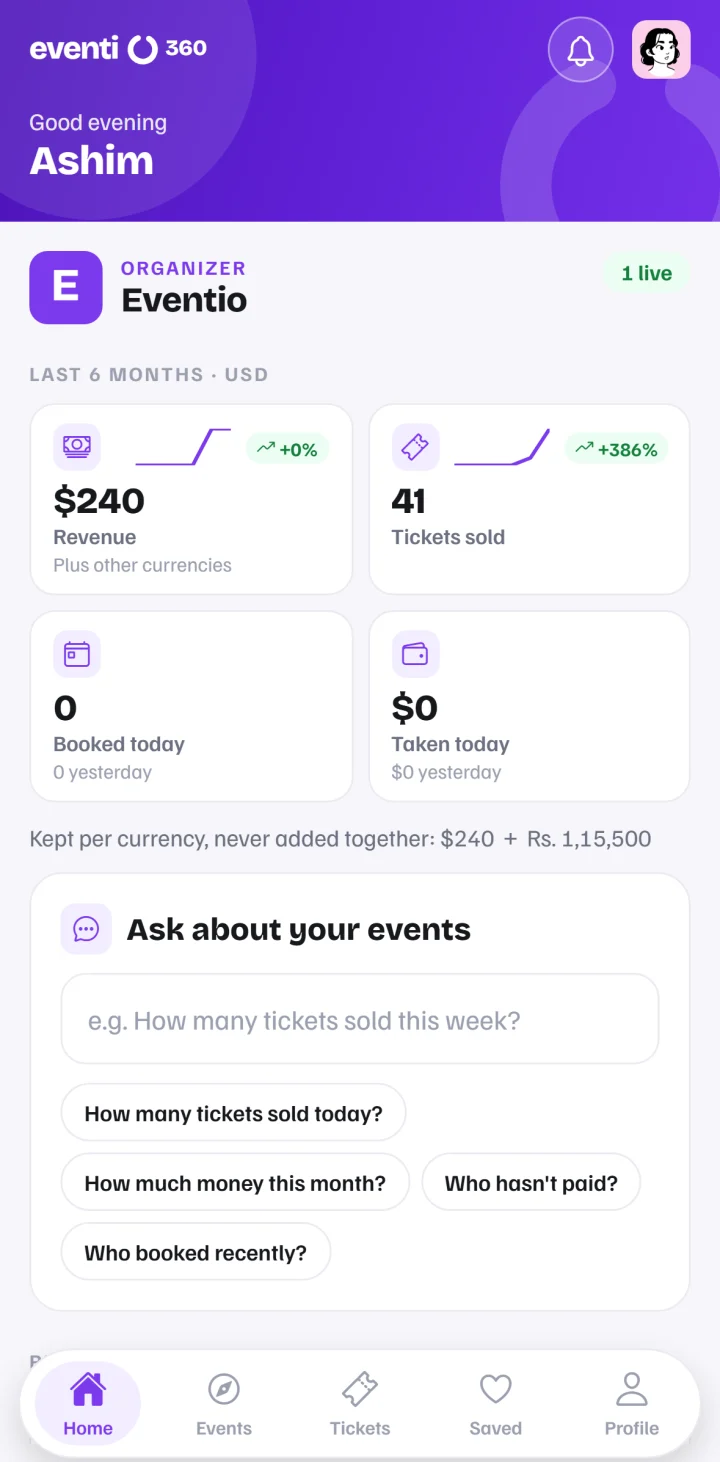
The Eventio360 organiser app dashboard

Running on Eventio360

Events happening soon

Browse all events →

Get started

Live in four steps

From sign-up to a full room — without a second system for any of it.

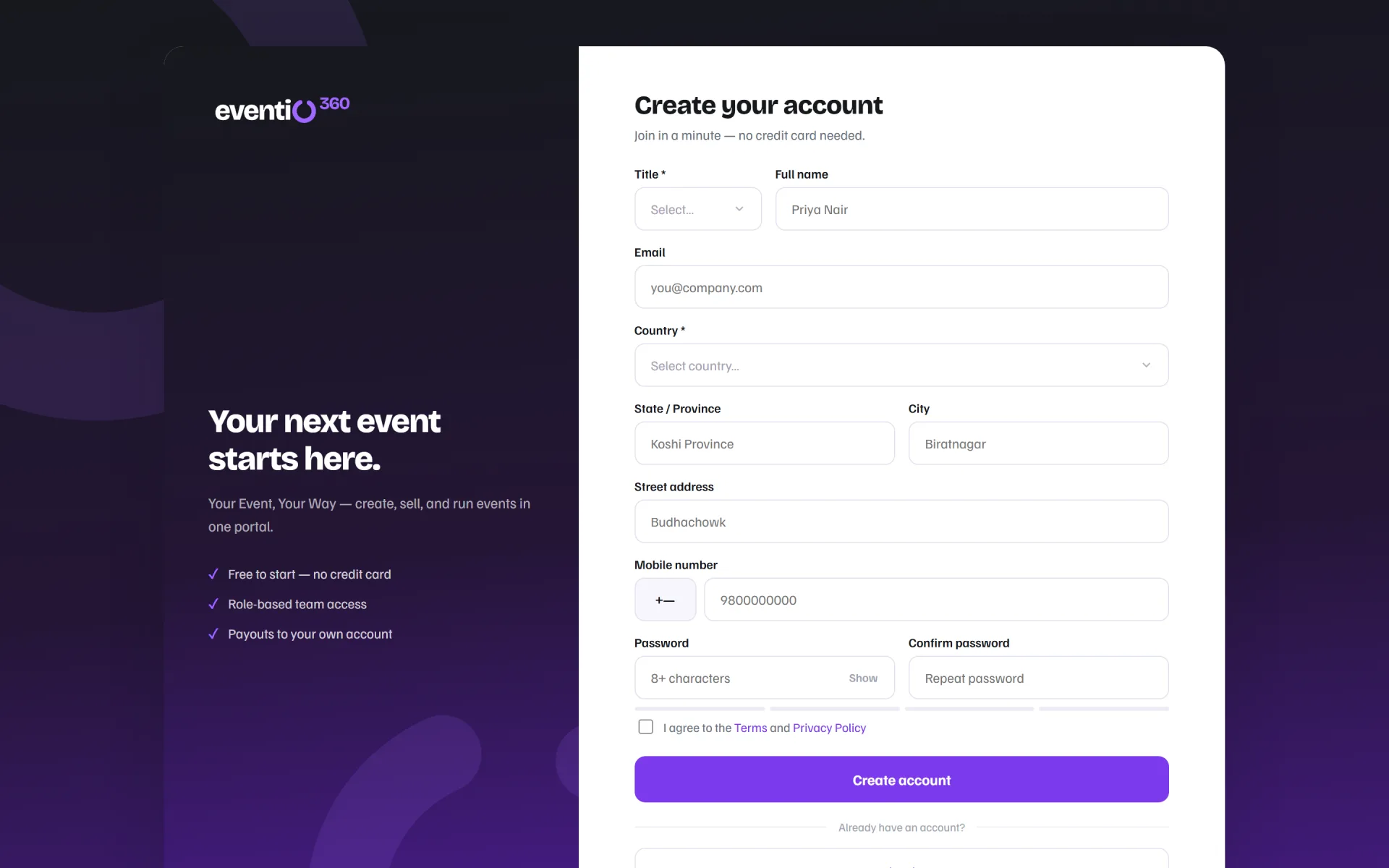
Create your free account
1

Create your free account

Sign up as an event host, a service provider or a freelancer — no card needed.

Create your event
2

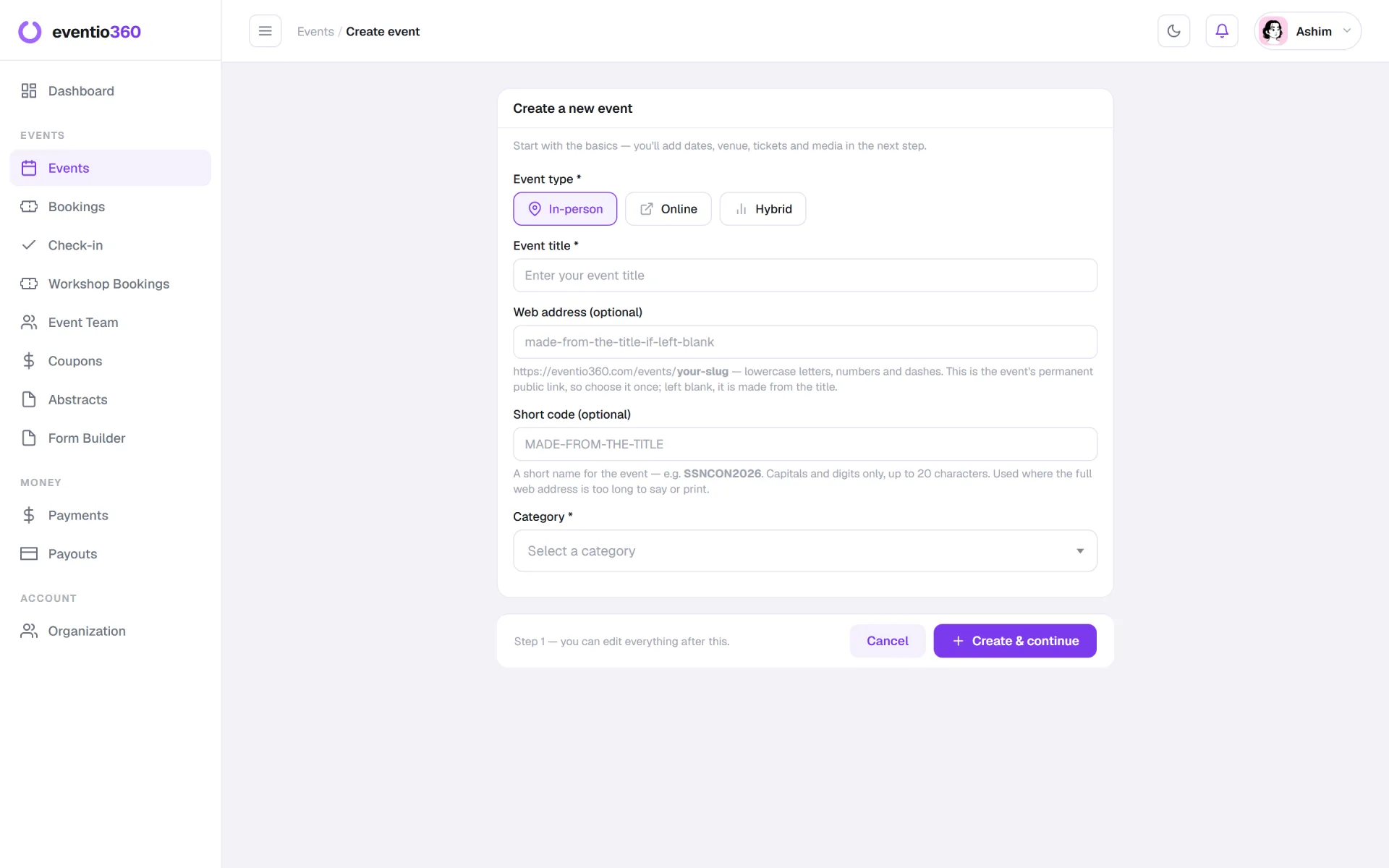
Create your event

Tickets, your own registration questions and the programme, from one form.

Publish and share
3

Publish and share

A page and a link to share — and posters your attendees share for you.

Sell, check in, report
4

Sell, check in, report

Watch bookings arrive, scan tickets at the door and see exactly how it went.

Event management features

Everything from the first ticket to the last certificate

01Registration

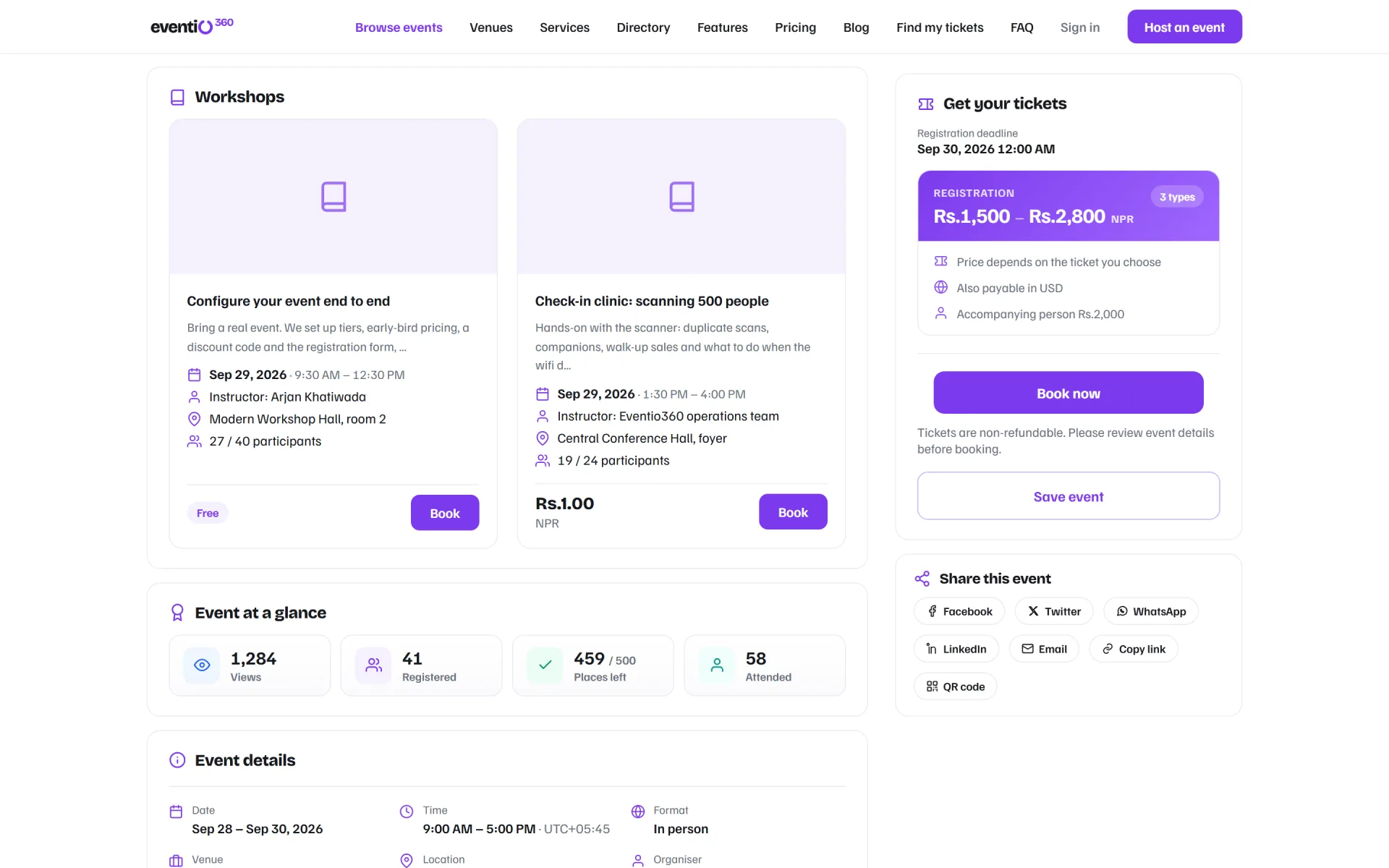
An event page that sells, and a checkout on any phone

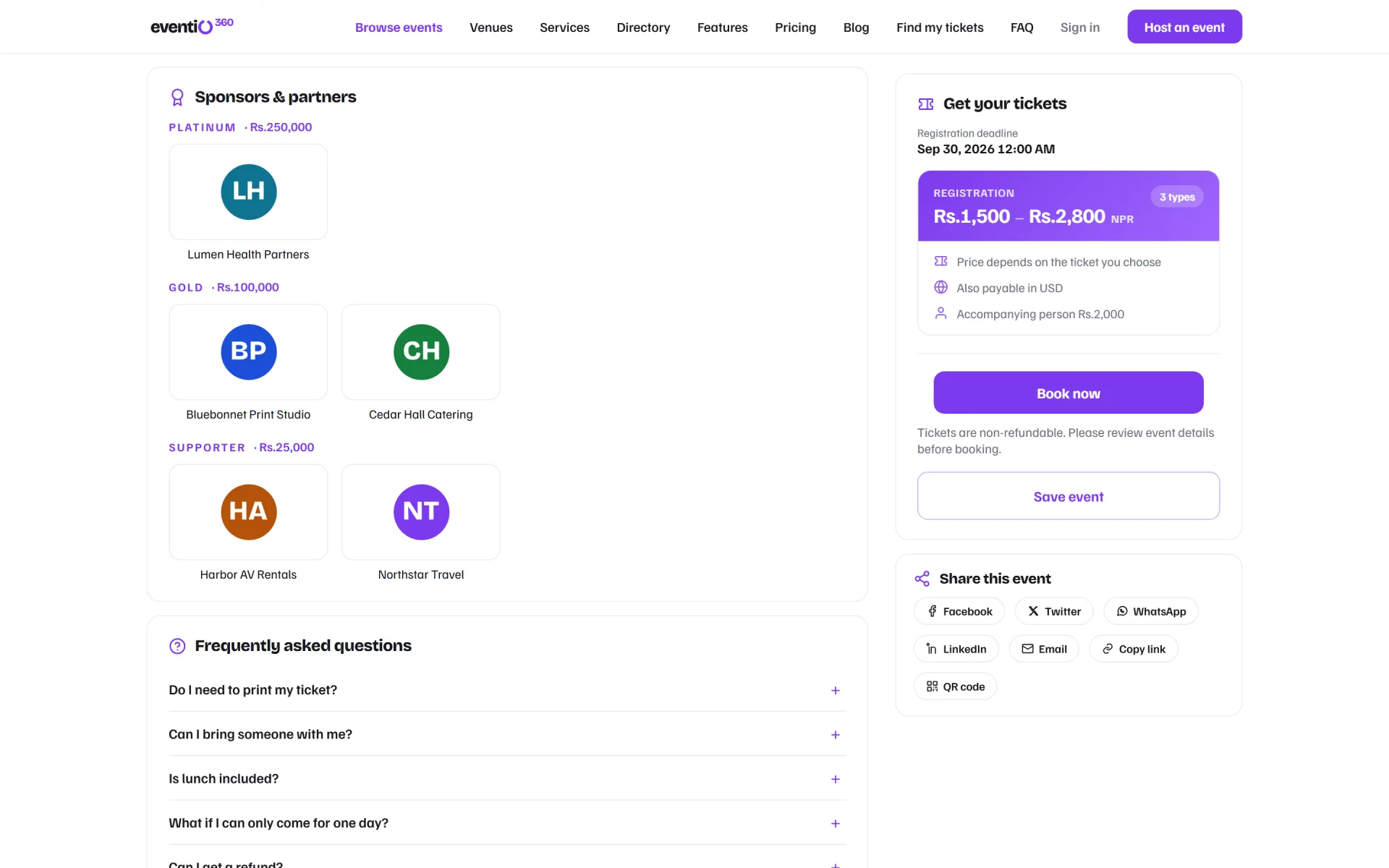
Programme, speakers, sponsors and tickets on one page — and a booking that takes a minute, with your own questions.

  • Your own registration questions
  • Guest checkout — no account needed
  • Companions priced correctly
Explore Registration →
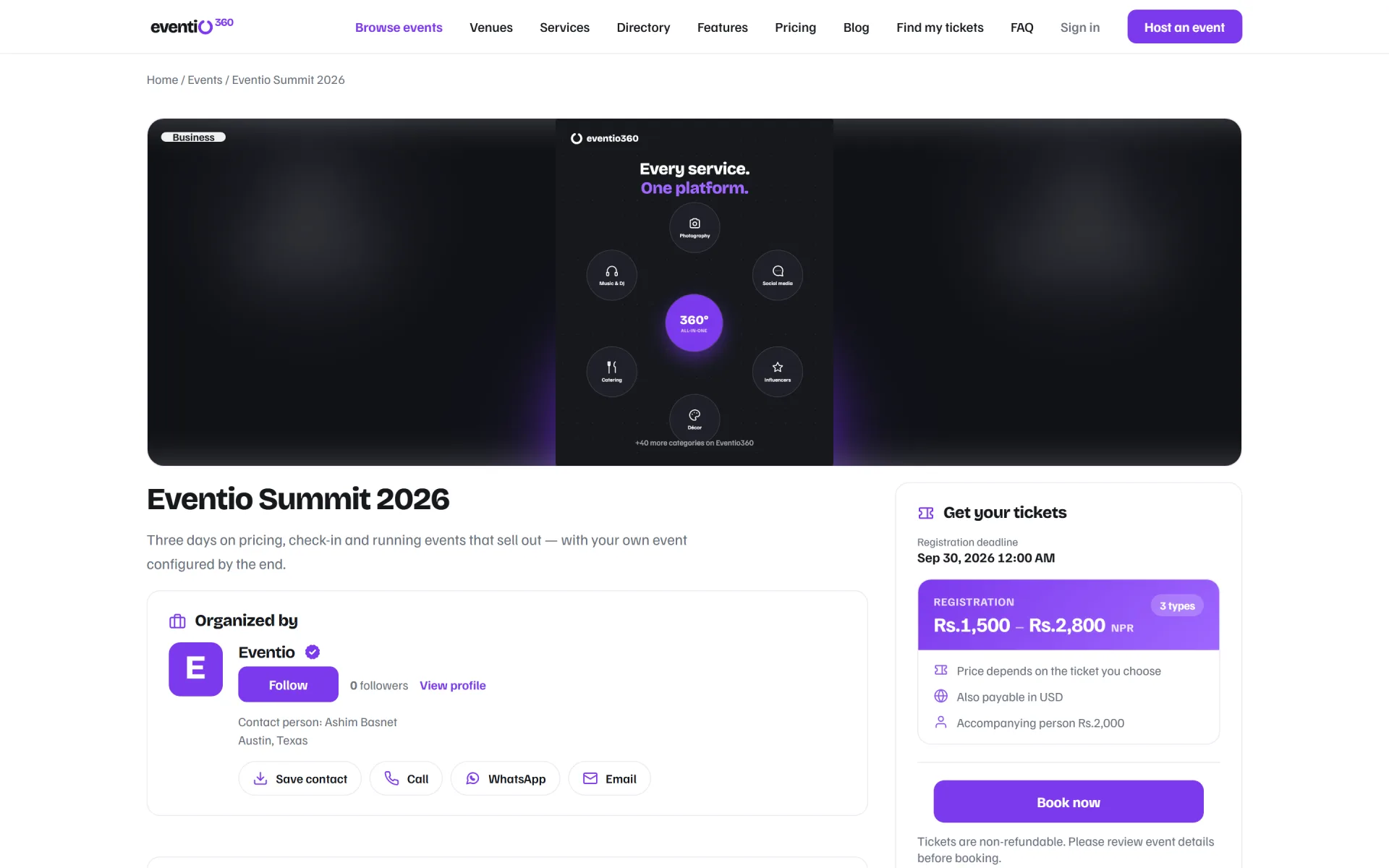
The public event page for Eventio Summit 2026
9:41
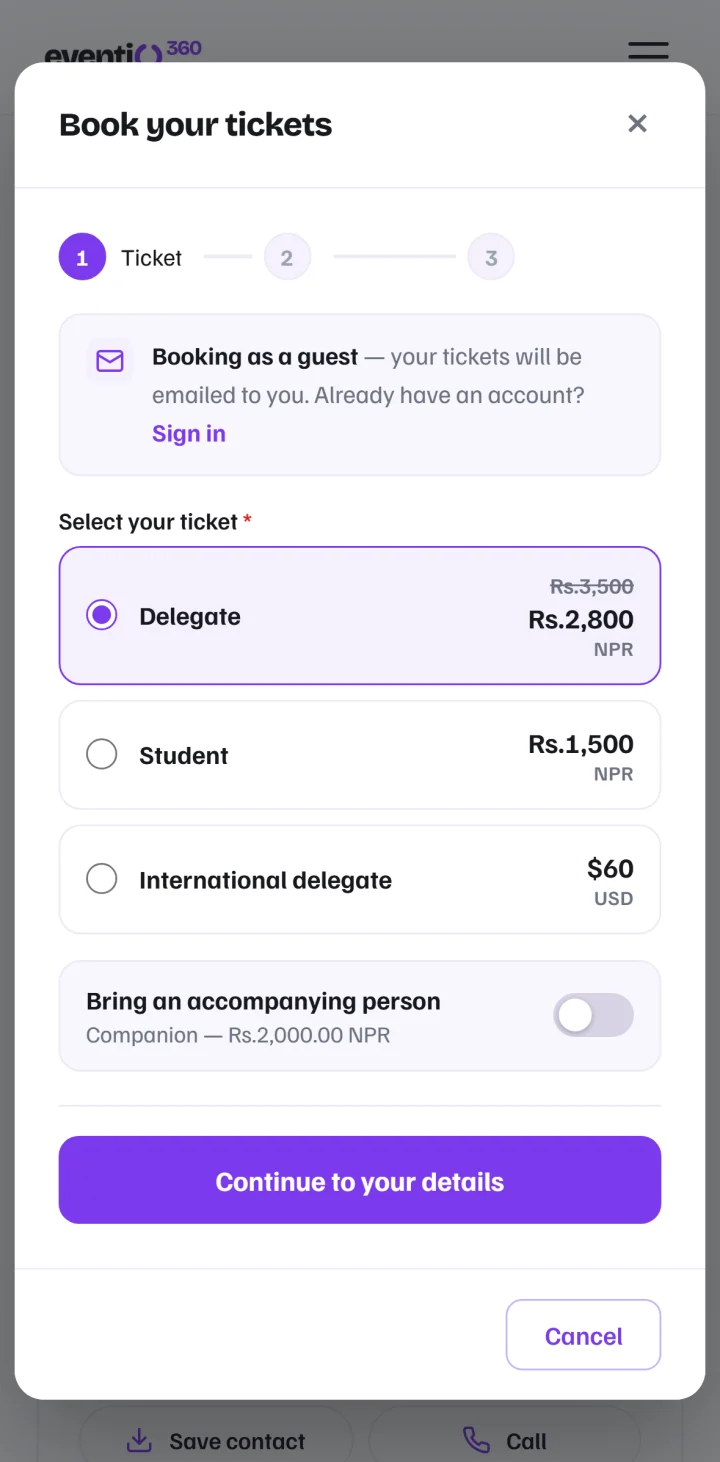
Choosing a ticket on a phone

02Ticketing

Every ticket type in its own currency

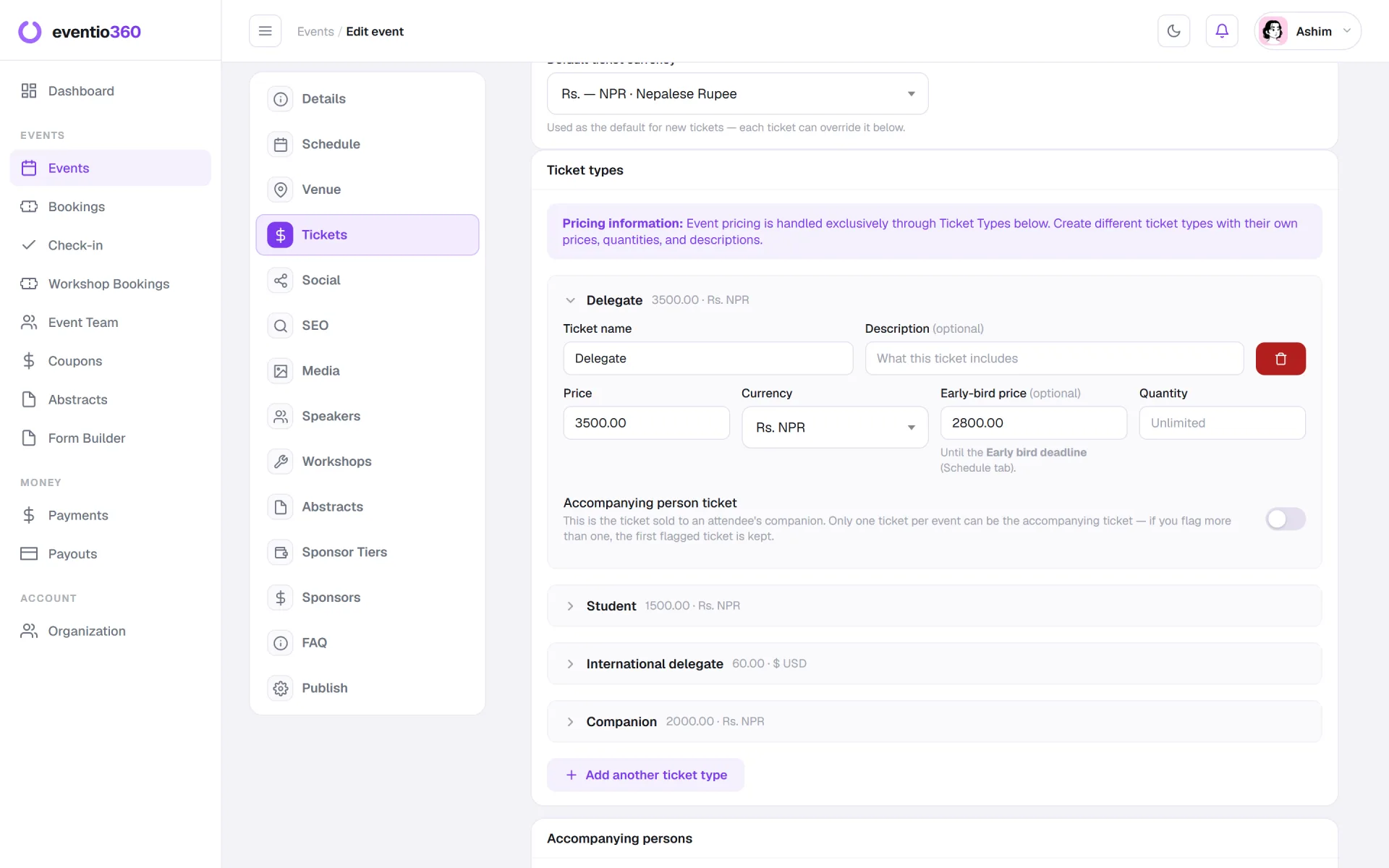
Local and international delegates book the same event, each tier priced in its own currency, with early-bird prices and discount codes.

  • Early-bird prices with a deadline
  • Discount codes per partner
  • Totals kept per currency, never mixed
Explore Ticketing →
Ticket types with price, currency and early-bird price

03Check-in

A door that works on day two

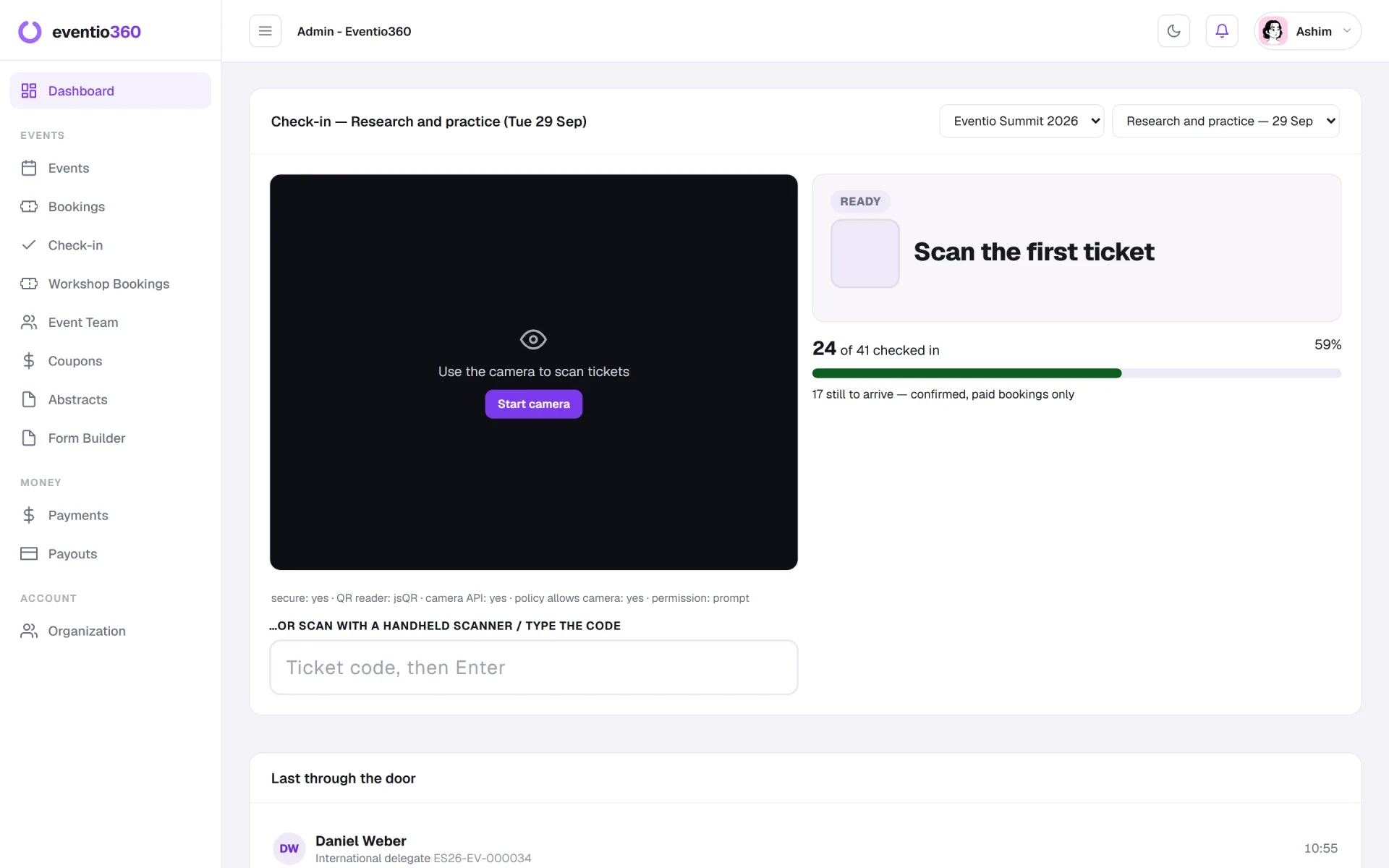
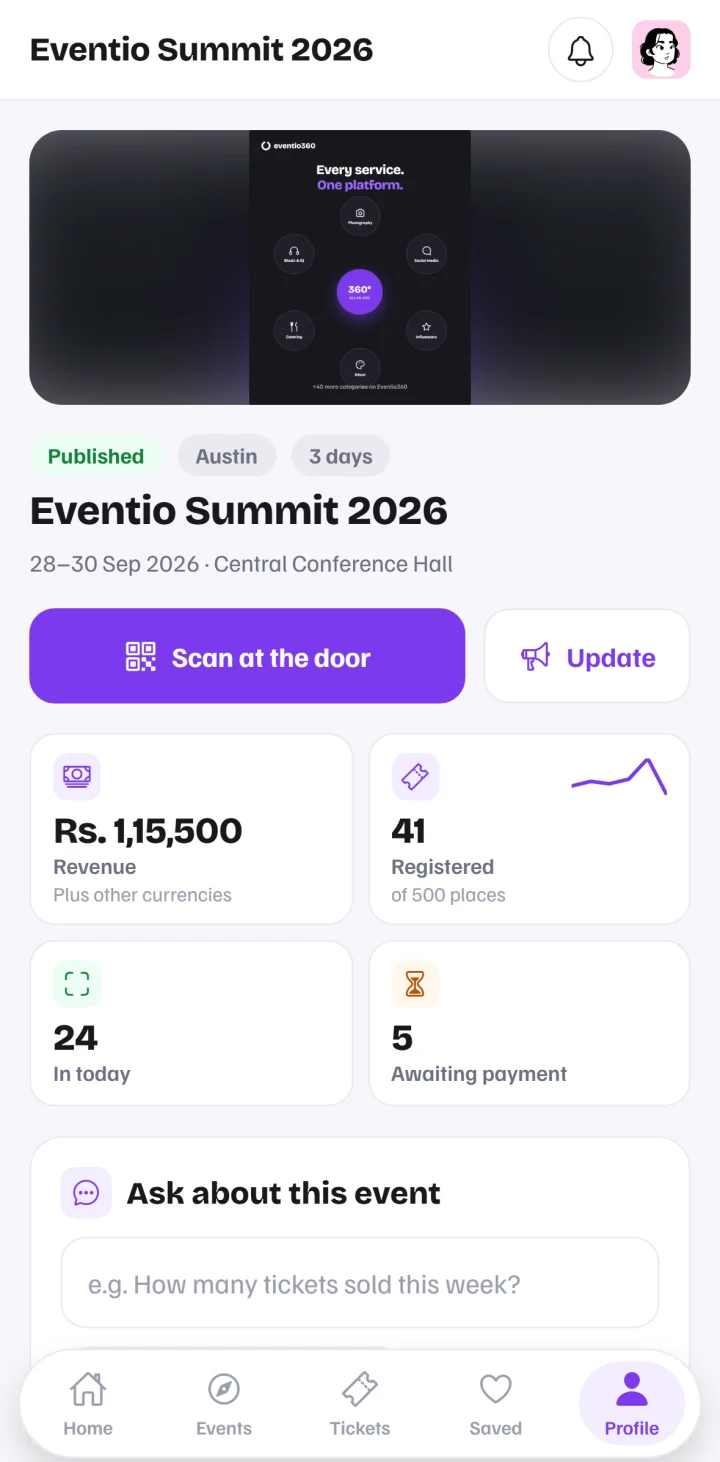
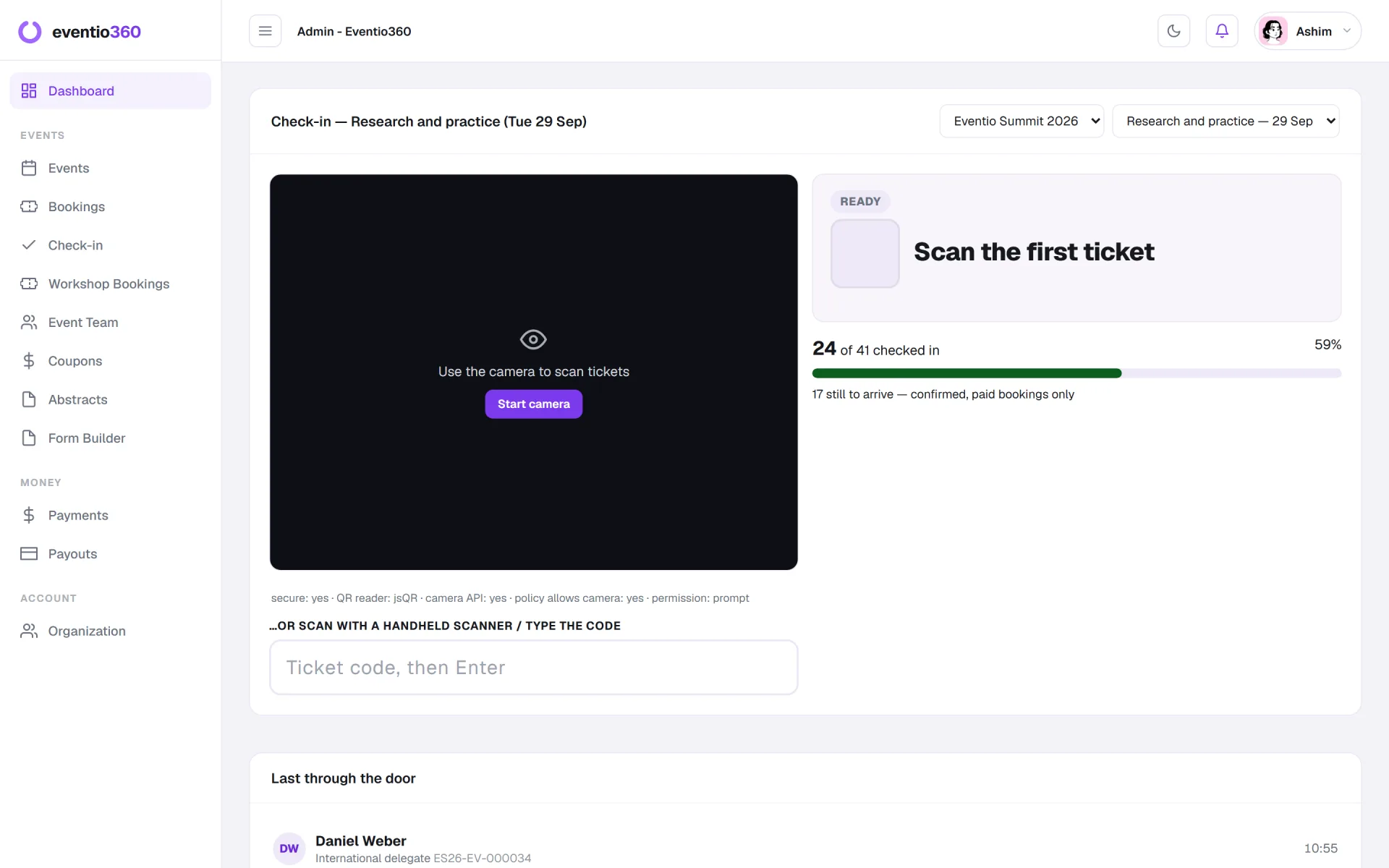
Scan tickets with any laptop or phone camera. Every day of a multi-day event is counted on its own.

  • Attendance per person, per day
  • Live count of who is still to come
  • Nothing to install
Explore Check-in →
QR code check-in with the live checked-in count
9:41
Live numbers and ticket scanning in the organiser app

04Badges & certificates

Badges with photos, certificates on release

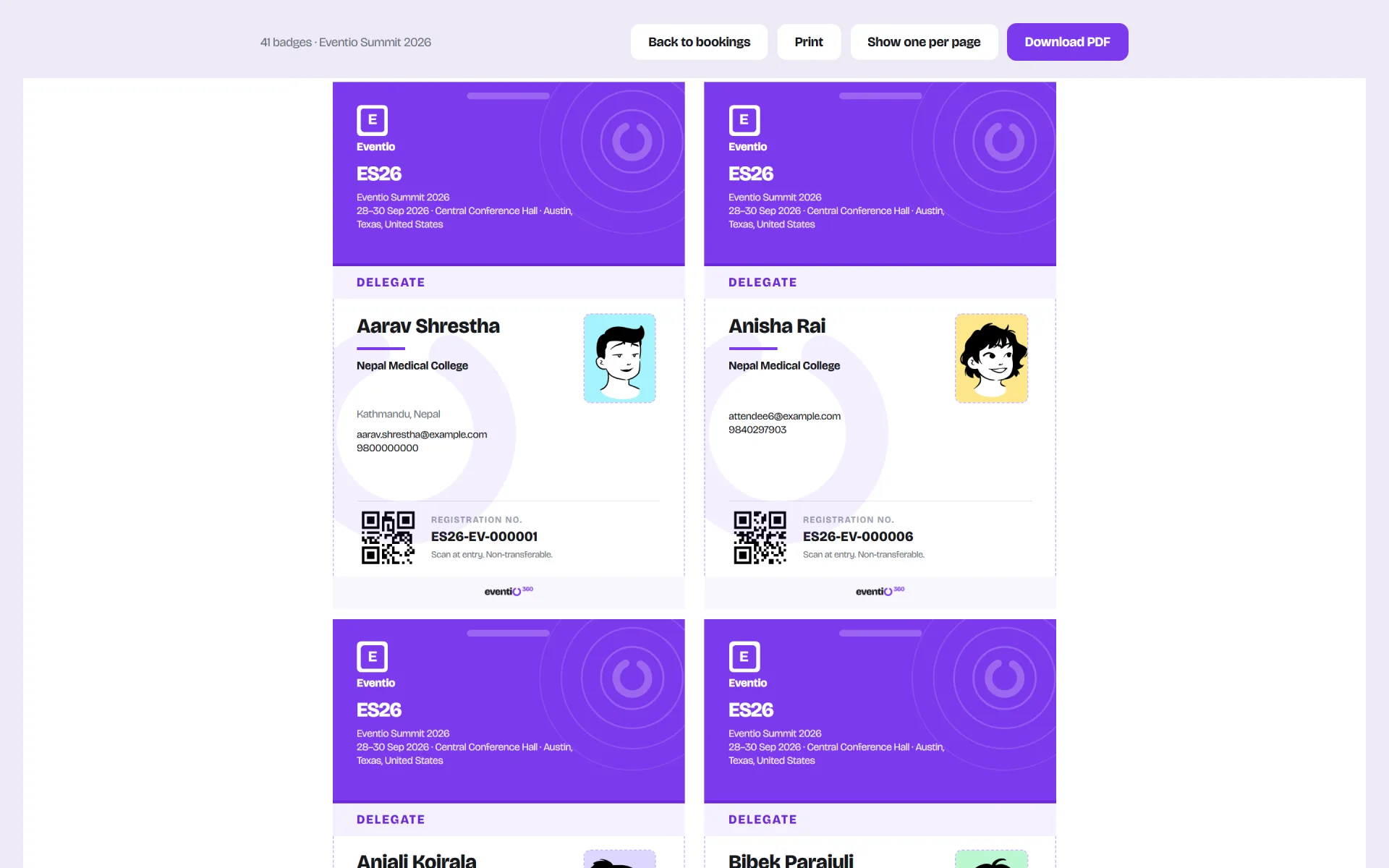
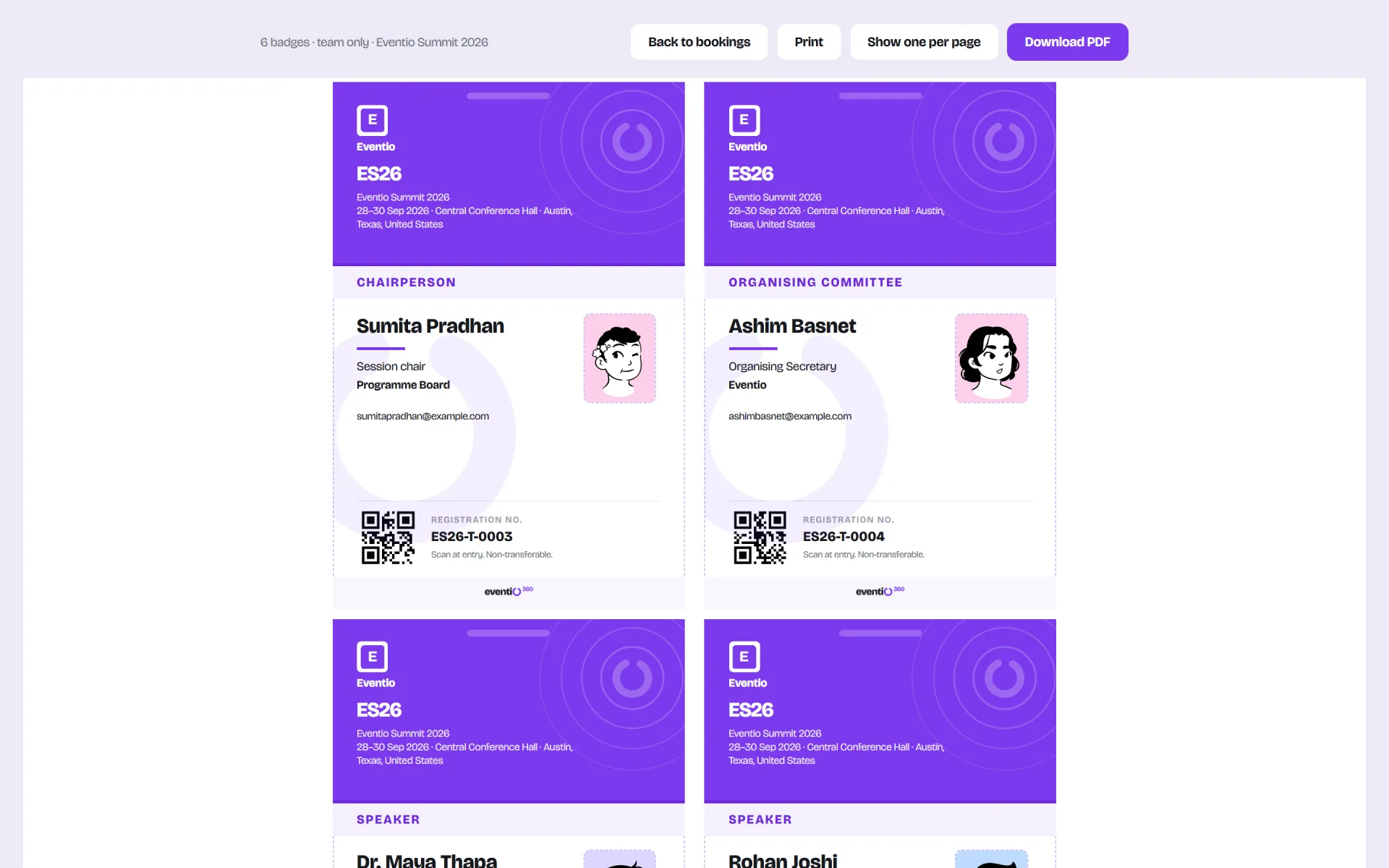
Print name badges for delegates and your own team straight from registrations, and release numbered certificates when you are ready.

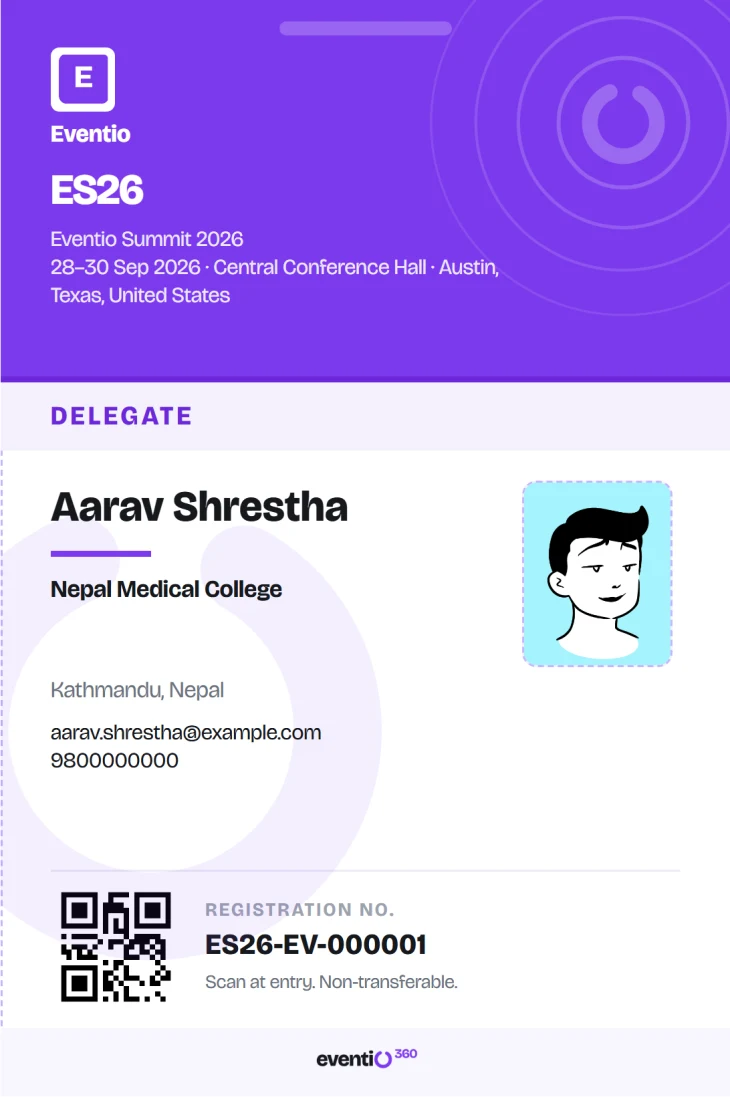
  • Photo, institution and QR code
  • Several badges to a sheet
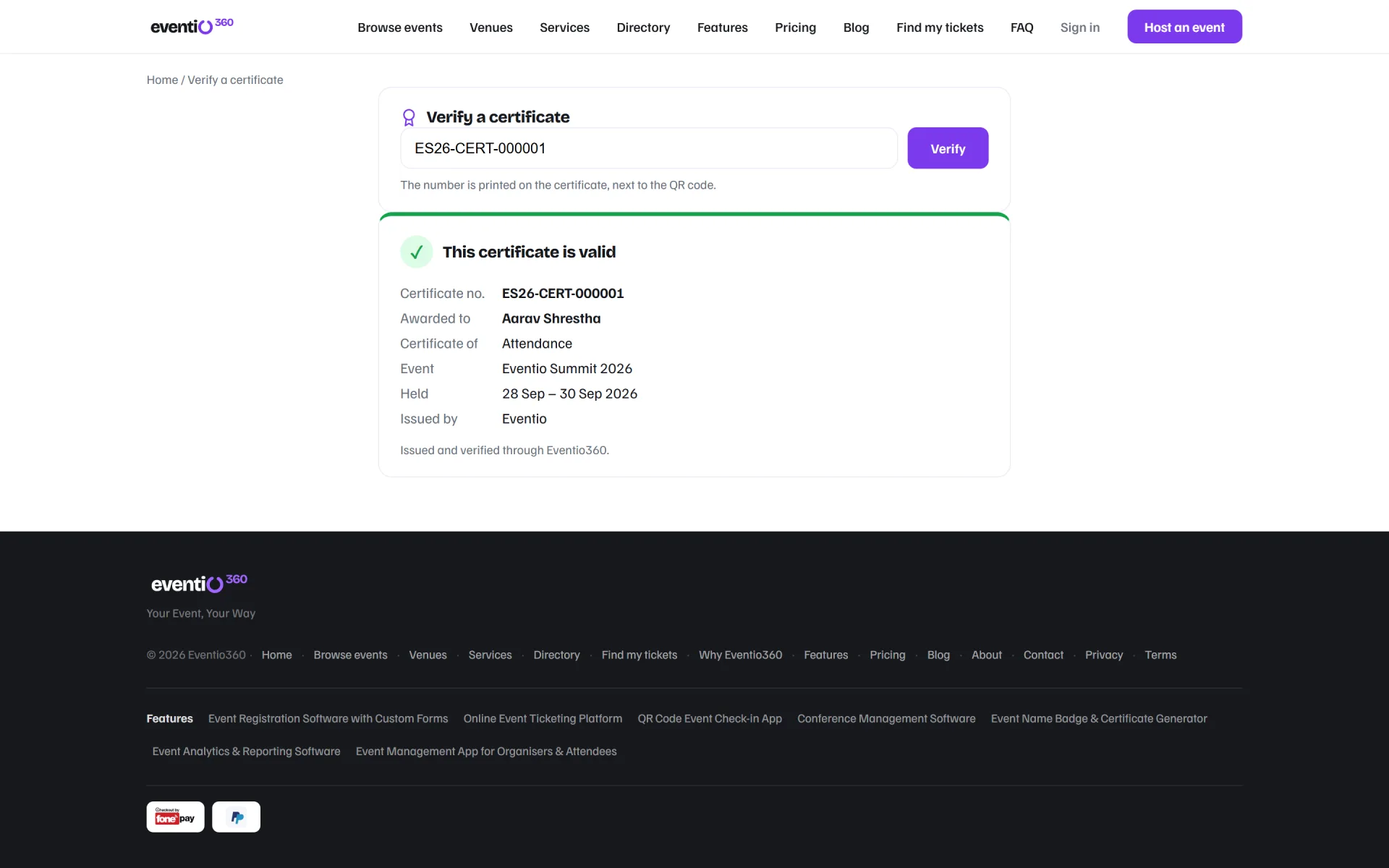
  • Certificates on each attendee's page
Explore Badges & certificates →
Printing name badges several to a sheet
A printed conference name badge with photo and QR code

05Analytics

See how it is going — or just ask

Registrations, revenue per currency and attendance, charted for every event — and a chat that answers from your own data.

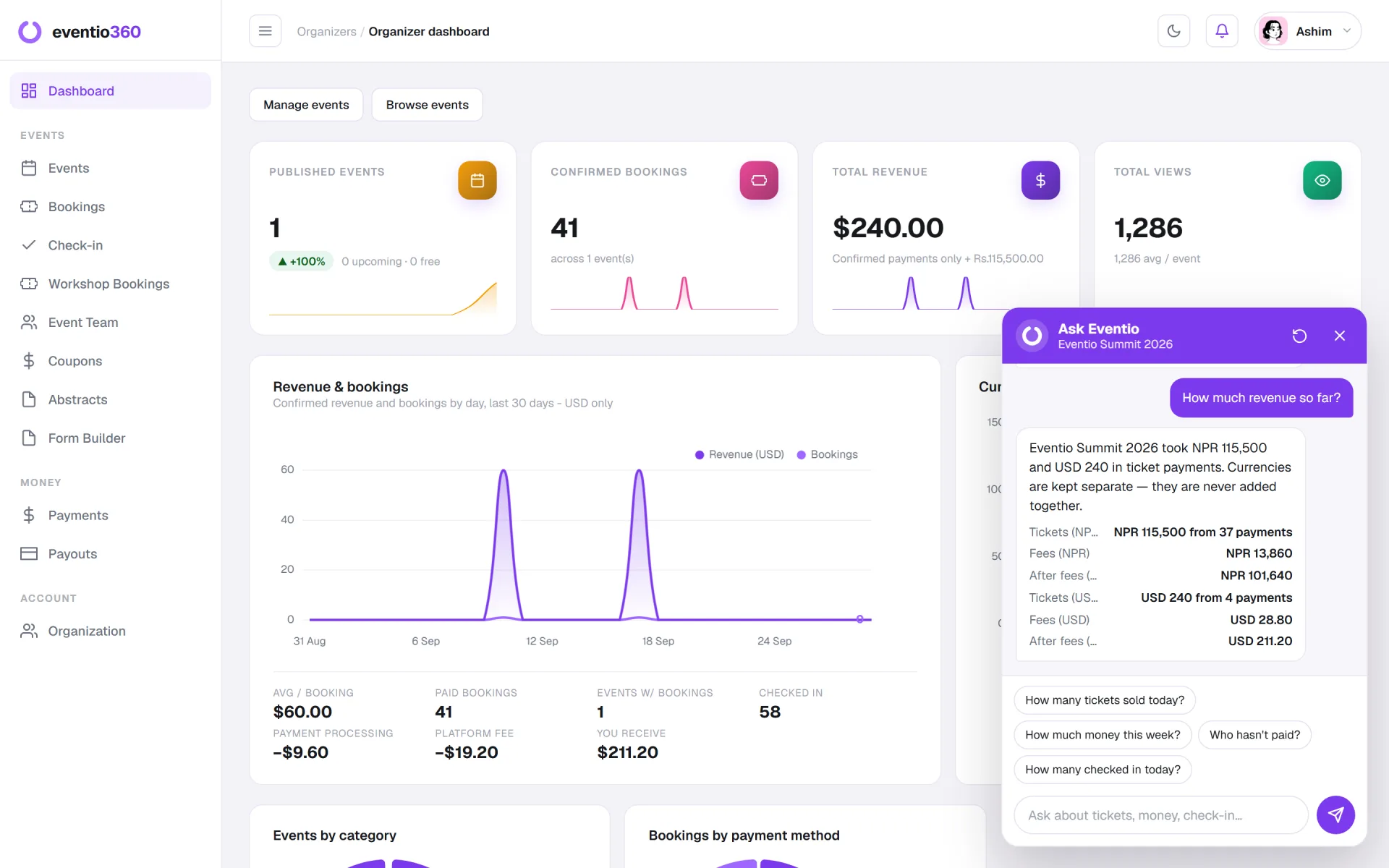
  • "How much revenue so far?"
  • Charts from your own registration questions
  • What you receive after fees
Explore Analytics →
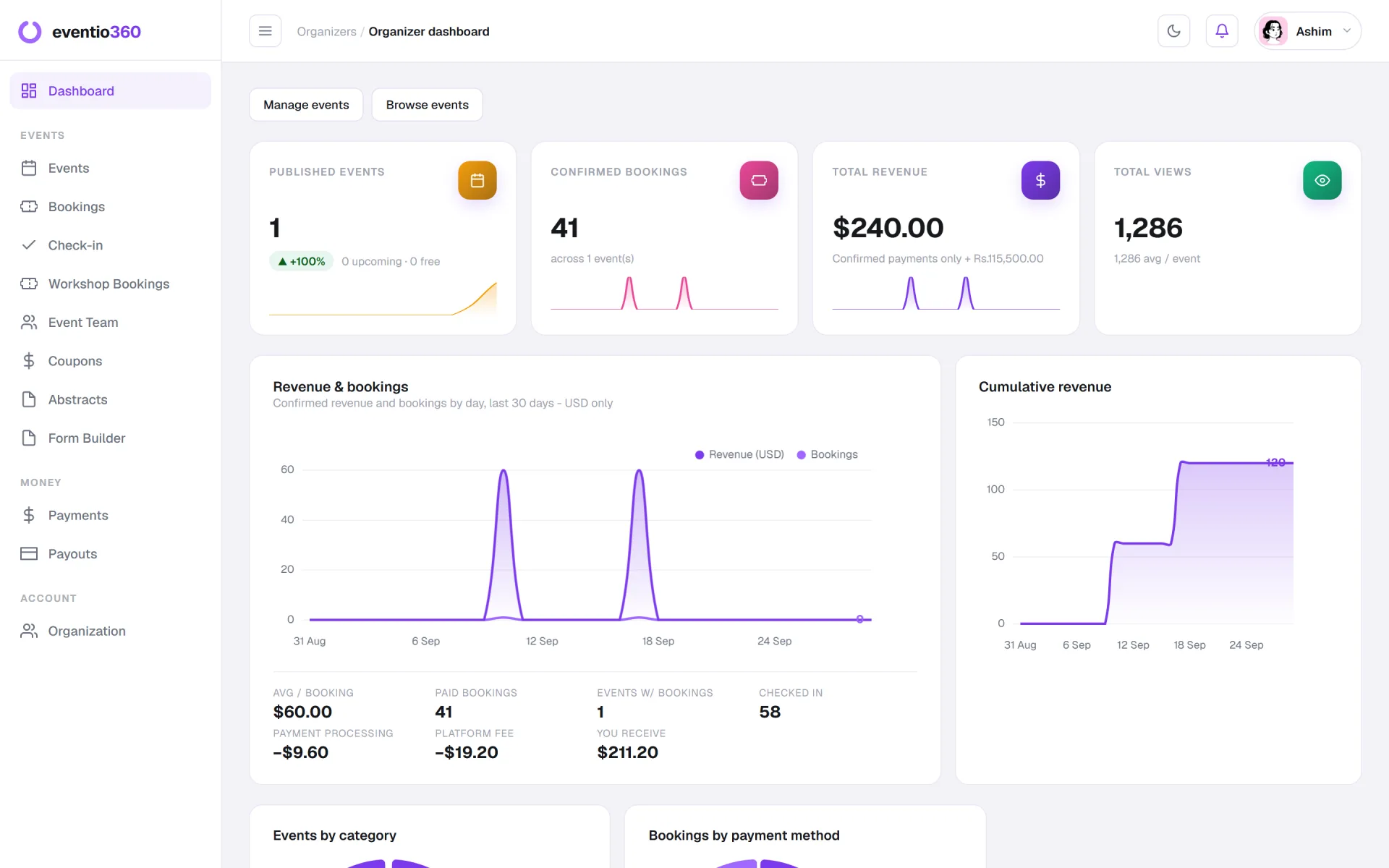
The organiser dashboard with Ask answering how much revenue so far

06Mobile app

Tickets in their pocket, posters in their feed

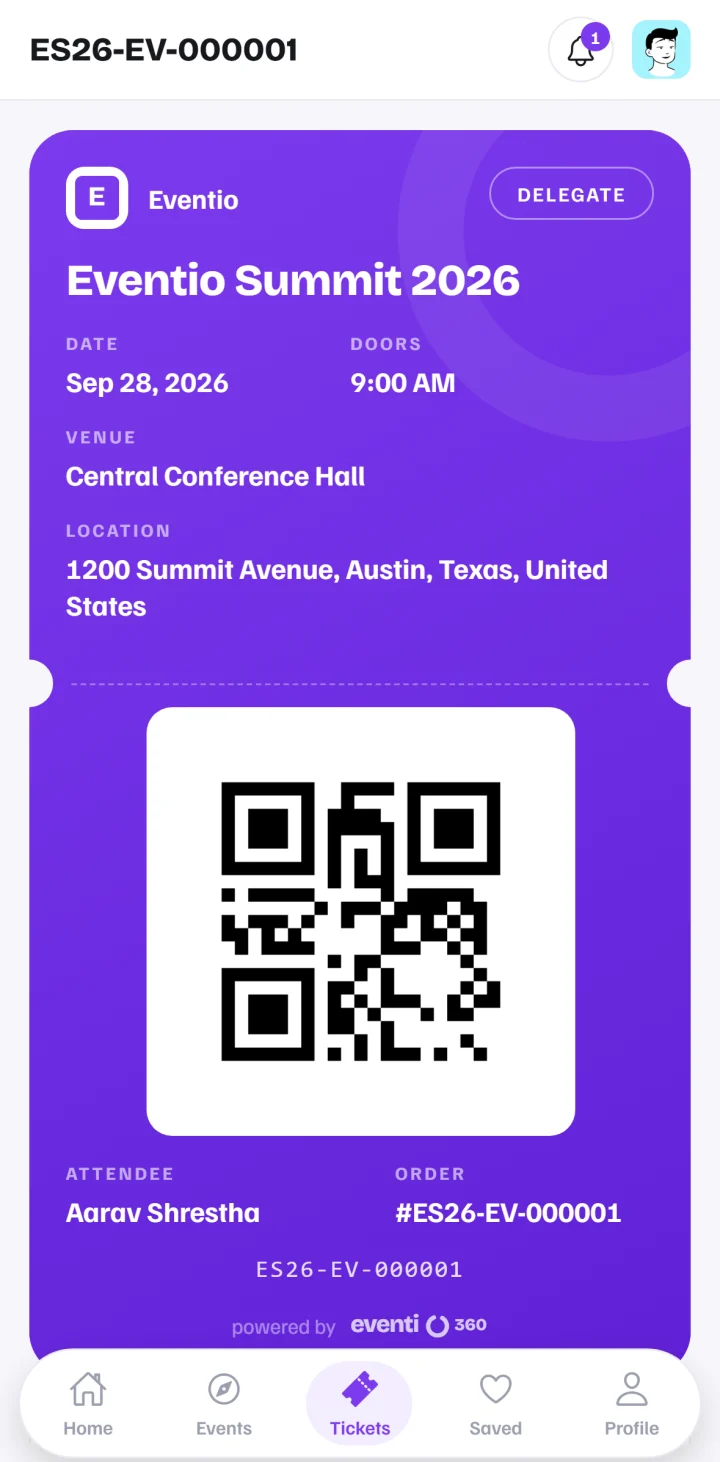
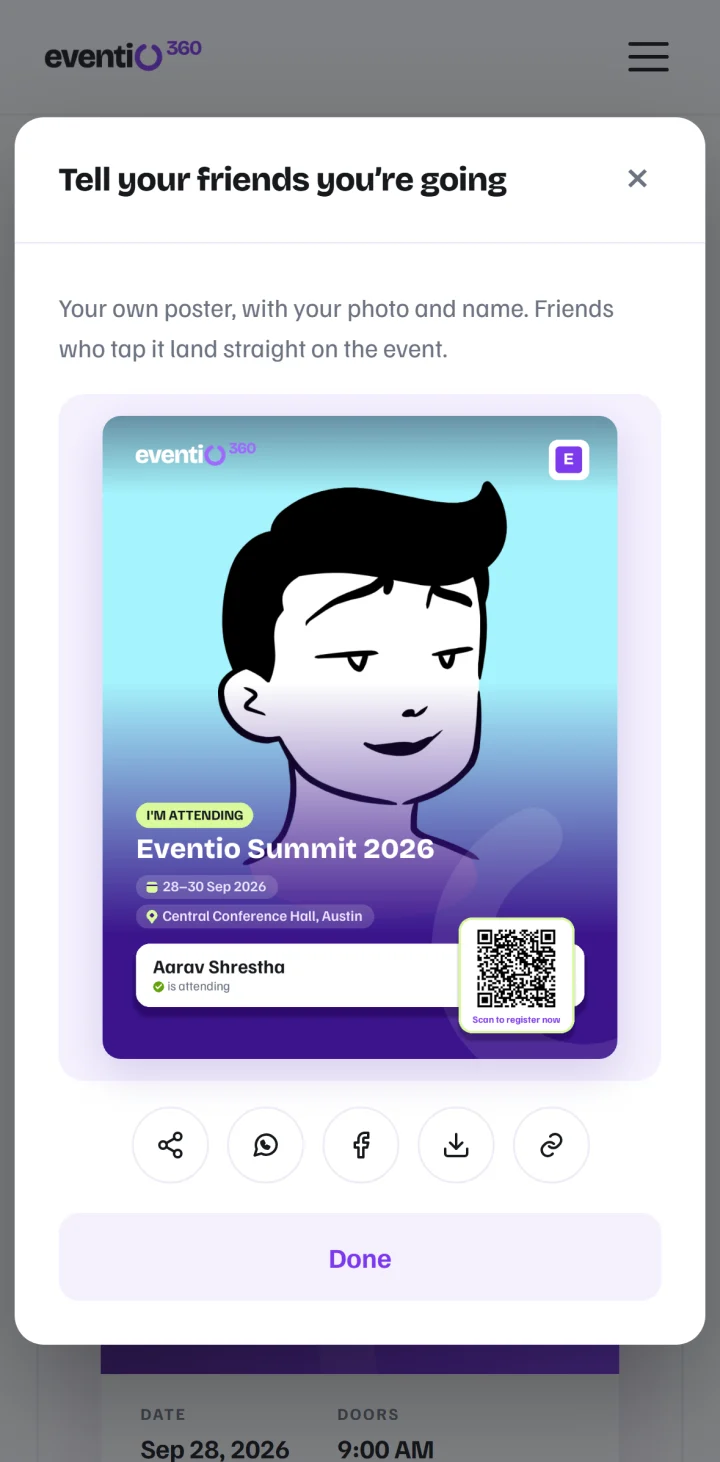
Attendees keep their ticket on their phone and share an "I'm attending" poster that brings their friends to your event.

  • Mobile tickets with QR codes
  • Posters with their own photo
  • One app for attendees and organisers
Explore Mobile app →
9:41
A mobile ticket with its QR code in the Eventio360 app
9:41
The I'm attending poster, ready to share

In practice

What running an event on Eventio360 looks like

01Ask Eventio

Ask your event anything

A chat in your dashboard answers plain questions from your own data — no reports to build, no spreadsheets to open.

  • "How many registered this week?"
  • "Who hasn't paid yet?"
  • "How many checked in today?"
  • Every currency kept separate — never added together
The organiser dashboard with Ask Eventio answering "How much revenue so far?"

02Analytics

See how it's going, as it happens

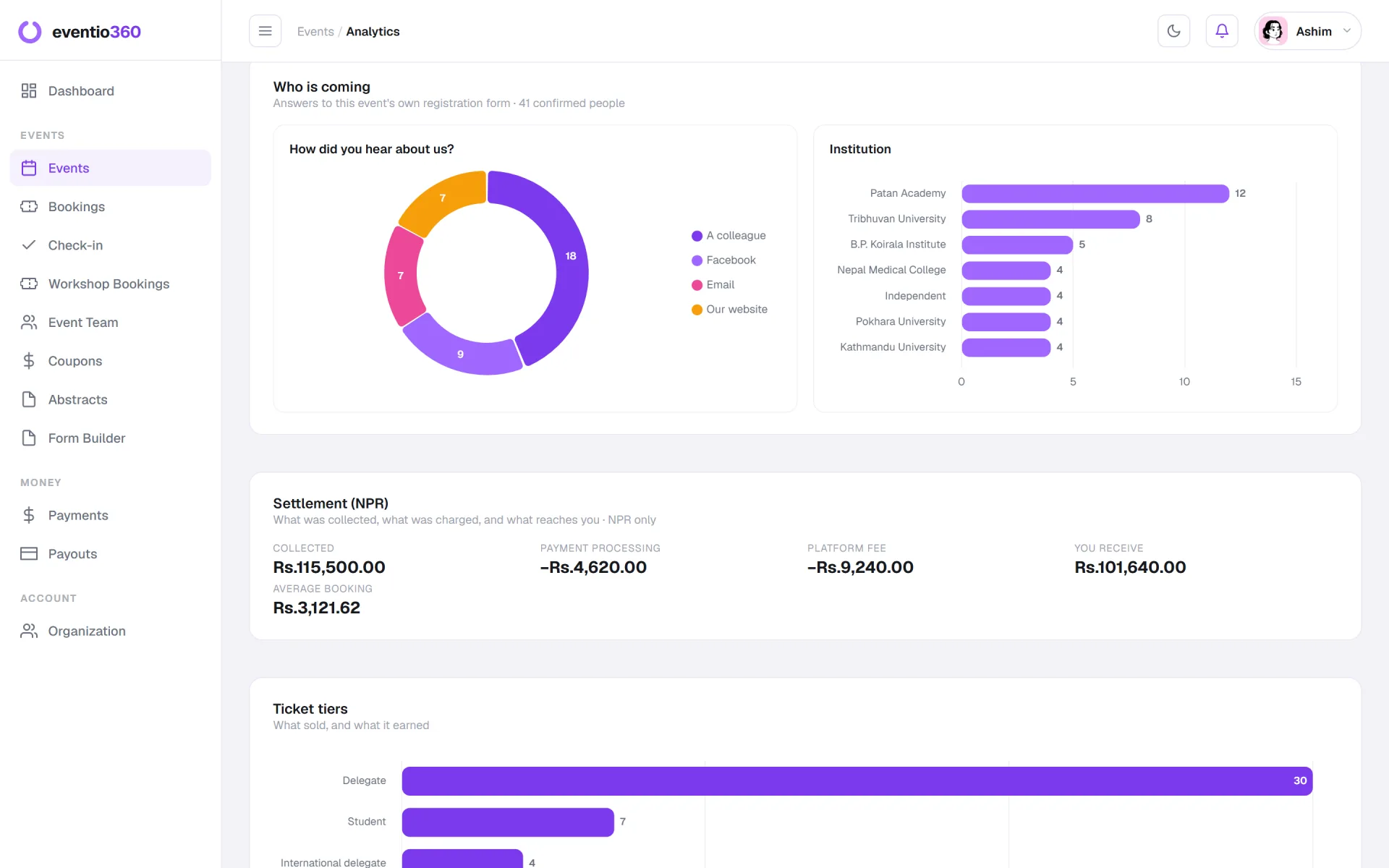
Registrations per day, running revenue, attendance and your attendees' own answers — charted automatically for every event.

  • Revenue per currency, before and after fees
  • Charts from your own registration questions
  • Attendance per day for multi-day events
  • Download the whole report as a PDF
Event analytics: revenue, bookings and registrations per day

03Attendees

Your attendees do the marketing

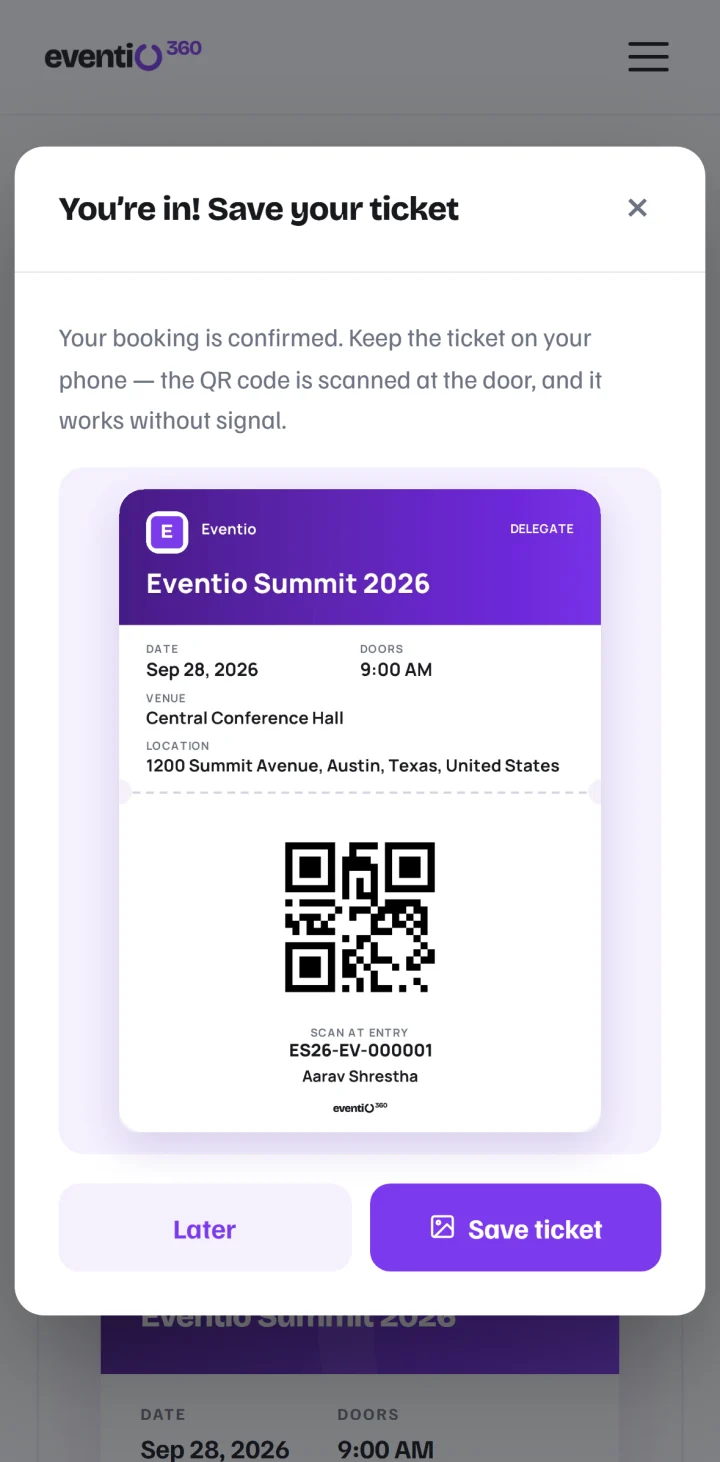
The moment a booking is confirmed, attendees save their ticket and get a poster with their own photo — and friends who tap it land on your event.

  • "I'm attending" poster with their photo and your event
  • Ticket saved to Photos, event added to their calendar
  • Guest checkout — no account needed
  • Book twice by mistake? They get the booking they already have
9:41
Save your ticket, after booking
9:41
The I'm attending poster, ready to share

04The door

A door that works on day two

Scan from any phone or laptop. Every day of a multi-day event is counted on its own, and your speakers and volunteers get badges too.

  • Attendance per person, per day
  • Live "checked in" count and who is still to arrive
  • Badges with photos for delegates and your team
  • Nothing to install — the browser or the app
QR code check-in with a live arrivals count
A printed name badge with a photo

Mobile app

Eventio360 in your pocket

One app for attendees and organisers, on iPhone and Android.

  • Attendees: tickets and QR codes, bookings and certificates
  • Organisers: your events, live arrivals and scanning at the door
  • Book and pay for events, workshops and services
  • Light and dark mode

Built for conferences

Everything a conference needs, beyond the ticket

Papers, workshops, your speakers and volunteers, certificates anyone can check, and your sponsors on show.

Conference management software →

Payments

Get paid from anywhere

Local and international payments on one checkout, in the currency each ticket is priced in.

Global

Local and international payments

Attendees pay the way they are used to — local banking apps and wallets, or international cards.

Multi-currency

One currency per ticket type

Local and international tiers sit side by side on the same event, each in its own currency.

Nothing lost

Resume unfinished payments

An unfinished payment keeps its booking, and the attendee gets a link to finish paying.

12%

Only on paid registrations

No monthly fee and nothing on free events. Pass the fee to the attendee if you prefer.

Why organisers choose it

Built for how events actually run

No subscription

Pay only when you sell

Free events stay free. On a paid registration the only charge is 12%.

No friction

Attendees book in seconds

Guest checkout in the browser; the ticket arrives by email and saves to their phone.

Global

Pay local or global

Delegates from home and abroad register for the same event, each paying their own way.

One place

Everything in one event system

Registration, abstracts, the door, badges, certificates and payouts — no second system.

Integrations

Works with the tools you already use

21 tools — from Zoom and Google Calendar to WhatsApp and Excel.

See all integrations →

Conferences Medical & professional associations Workshops & training Concerts & festivals Corporate events Universities & seminars International summits Community meetups Exhibitions
Also on Eventio360

The people who make an event run

Photographers, videographers, caterers, hosts and content creators list what they do, set their own prices, and take bookings here — instantly or by quotation. Organizers find them without leaving the platform they are already running their event on.

From the blog

Notes on running better events

All posts →

Questions, answered

What is Eventio360?
Eventio360 is event management and ticketing software for conferences, workshops, seminars and events of every size. It handles online registration, ticketing, local and international payments, QR code check-in, name badges, certificates and event analytics — on the web and in a mobile app for attendees and organisers.
Is Eventio360 free to start?
Yes. There is no subscription, no setup fee and no per-event charge. Free events are free; on a paid registration the only charge is 12%.
How can my attendees pay?
With the local banking apps and wallets they already use, or with international cards — and each ticket type can be priced in its own currency, so local and international delegates book the same event.
How do I receive the money?
Payments are collected through Eventio360 and paid out to your organisation's bank account on request. Every booking has a receipt.
Do attendees need an account or an app?
No. They book as guests in the browser; the ticket and a private link to their booking arrive by email. The mobile app is there for those who want it.
Is there a mobile app?
Yes — one app for attendees and organisers. Attendees keep their tickets in it; organisers follow their events and scan tickets at the door.
Can it run a conference?
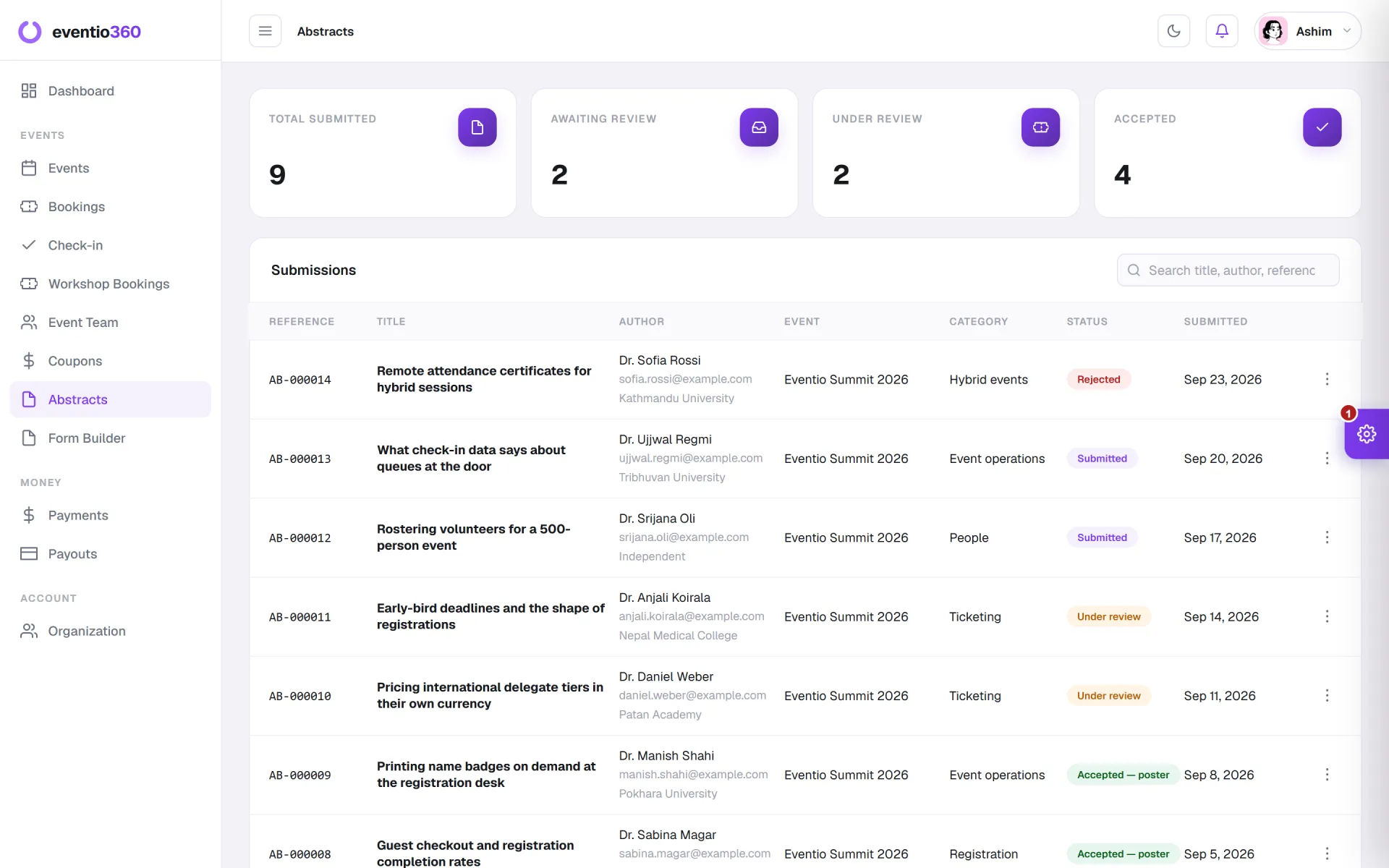
Yes — call for abstracts with review, workshops, speakers and sponsors, name badges, per-day check-in and verifiable attendance certificates.
I am a photographer, not an organizer — is this for me?
Yes. List your services in the directory, set your prices, and take bookings through the platform. Customers pay Eventio360 and your earnings are paid out to your account.

Your next event starts here

Tickets, registration, payments, the door and the reports — in one secure platform, on the web and in the app. No monthly fee.

Get started free